How to Detect Drone Jamming and Protect Your Site?
A drone approaching a facility may be visible, but interference is not. Unexplained video freezes, lost control links, or navigation warnings can raise concern about Drone Jamming. Yet these symptoms have other causes. A damaged antenna, crowded radio environment, or software fault can look similar. One clue is not proof.
This guide explains practical signs to watch for and how to respond without disrupting other systems. Staff can record the time, location, affected equipment, weather, and any visible aircraft. Compare incidents across cameras, radios, and site logs. Patterns matter. Keep records factual, and avoid trying to identify or confront a suspected operator.
Protection starts with preparation. Check equipment health, secure sensitive areas, maintain backup communications, and define who reviews an incident. Use only monitoring tools suited to your site and operated by qualified personnel. If interference persists, preserve relevant logs and contact the equipment provider or an authorized security specialist. Do not transmit counter-signals or attempt to take control of an aircraft. Those actions can create new risks.
A careful response is rarely dramatic. It is consistent. No single sensor can settle every case, and even experienced teams may need time to distinguish interference from ordinary failure. That uncertainty deserves attention, not guesswork. A clear detection process helps protect people, operations, and nearby communications while keeping decisions grounded in evidence.
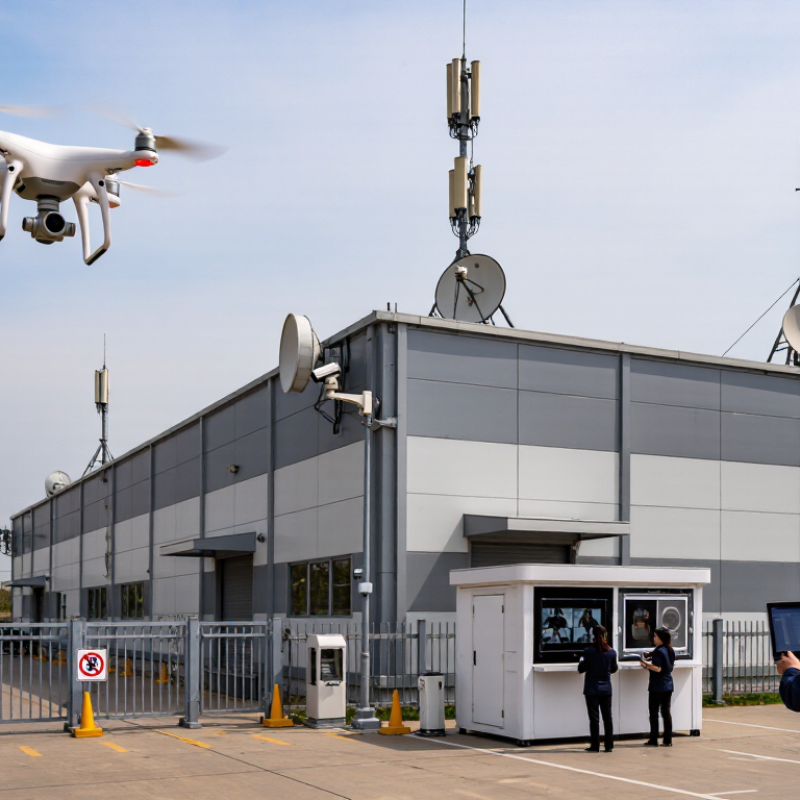
Understanding Drone Jamming and Its Effects on Site Security
Drone jamming is radio-frequency interference that weakens or blocks communication between an aircraft, its controller, or satellite navigation systems. It can cause missing telemetry, inaccurate location readings, or an unexpected hover or return-to-home response. These signs are not proof of jamming; equipment faults and site conditions can look similar. Signals can vanish. A single alert is not a diagnosis.
The security impact depends on the site. A disrupted drone may drift toward a roof, loading area, or crowd, while a gap in detection can delay staff response. The FAA reported more than 860,000 registered drones in its 2023 UAS data, illustrating the scale of activity that sites may need to assess. ENISA’s 2023 transport threat assessment also identifies GNSS interference as a relevant risk. Neither source means every signal loss is hostile. Context matters.
Watch for repeated, simultaneous anomalies across independent systems: control-link loss, navigation warnings, and a camera track that no longer matches reported position. Record times, locations, weather, and system alerts. Compare observations from separate sensors and have qualified personnel review radio-environment data. I have seen teams treat one dashboard as the whole picture; it is an easy mistake. Keep response plans focused on people and operations: pause exposed work if needed, move staff away from hazards, and use documented escalation procedures. A layered view is less tidy, but more dependable.
Recognizing Common Signs of Drone Jamming
Recognizing Common Signs of Drone Jamming
A suspected jamming event rarely announces itself clearly. Watch for several changes occurring together: a sudden control-link warning, frozen camera footage, delayed commands, or a drone that stops responding normally. GPS position may jump across the map, even while the aircraft appears steady overhead. Sometimes it drifts. A single symptom is not proof; a weak battery, blocked antenna, or crowded radio environment can look similar.
Note the time, location, weather, and exact warning messages. Compare reports from nearby equipment, if available, and check whether the problem affects one device or several. Keep observations factual. It is easy to blame interference when a routine equipment fault is responsible. That mistake deserves a second look.
Protect people and operations by following the aircraft’s established safety procedure, such as directing it to a safe landing area when control remains available. Keep staff clear of its flight path, preserve system logs, and alert qualified site personnel. Do not attempt to disrupt the signal or handle unfamiliar equipment. A calm, recorded response is more useful than a hurried guess.
Verifying Interference with Detection and Monitoring Tools
Verifying interference starts with a baseline, not a single alarm. Record normal radio activity at different times, including quiet overnight periods. When an alert appears, compare its frequency, duration, and signal strength with that baseline. Use a spectrum monitor alongside independent navigation or timing receivers; one instrument can mistake ordinary congestion for deliberate disruption. EASA and EUROCONTROL reported that more than 1,000 aircraft experienced GNSS interference in one day in March 2024. That figure shows why monitoring should capture time-stamped evidence, not just a red warning on a dashboard.
Look for changes across several indicators: sudden signal loss, unexpected location jumps, repeated device dropouts, or interference limited to one part of the site. Check whether affected equipment shares a cable route or power source before blaming radio conditions. Keep sensor clocks aligned, preserve raw logs, and compare readings from separate locations. Small details matter. A door sensor failing at the same time as a navigation receiver may point to a local fault, not jamming. Site teams can also use passive monitoring and qualified technical support to investigate safely, without transmitting test interference. Dashboards are useful, but they can create false confidence; review the evidence and note what remains uncertain.
Assessing Risks to People, Systems, and Operations
Drone jamming is a risk to people, systems, and daily operations—not just a signal problem. Warning signs may include a drone’s control link dropping, video freezing, or several devices losing connectivity near the same time. These symptoms can also result from ordinary faults, so one warning alone is not proof. Record the time, location, affected equipment, and any visible drone activity. People come first. Keep staff and visitors away from exposed rooftops, loading areas, and other places where a drone could fall or distract workers.
Consider which site functions depend on reliable wireless links. A disruption might affect cameras, access systems, inventory devices, or communications between field teams. Identify safe manual alternatives, such as a staffed gate or a radio check-in procedure, and make sure employees know when to use them. Avoid confronting or attempting to disable a drone. Preserve system logs and report recurring incidents to qualified security and technical professionals, who can assess interference using suitable equipment. A checklist helps, but it will not remove uncertainty. Review the response after each event; even a short disruption may reveal a gap in staffing, backup communications, or visitor safety procedures.
Protecting the Site and Reporting Suspected Jamming
Protect the Site and Report Suspected Jamming
Treat a possible jamming event as a safety issue, not proof of deliberate interference. GPS.gov explains that GPS signals arrive at Earth’s surface at roughly -125 dBm, making them vulnerable to interference. A sudden location jump, stalled map position, or several devices losing satellite lock at once deserves attention. Check whether the problem affects one receiver or the whole site. Note the time, weather, equipment, and exact locations. Take a photo of the display if safe. The first log may be incomplete; record uncertainty rather than guessing.
Keep people away from affected work areas and use approved backup procedures for access control, timing, and equipment. Do not investigate by approaching an unknown aircraft or transmitting test signals. EASA’s safety information on GNSS interference describes disruptions to navigation systems and recommends reporting suspected events through appropriate aviation and national channels. Contact your site safety lead and the relevant aviation or communications authority. Include timestamps with time zone, coordinates, device models, screenshots, and any nearby flight activity. Preserve original files; avoid editing them. Report observations, not conclusions. A short, factual report helps specialists compare incidents and assess risk.
How to Detect Drone Jamming and Protect Your Site
GPS civilian signal reference frequencies (MHz)
These are reference signal frequencies, not evidence of jamming. If monitoring shows an abrupt loss of satellite lock or a change in signal quality, record the time, location, receiver readings, and observations. Follow site safety procedures and report suspected interference to the relevant authorities; do not attempt to interfere with or disable a drone.